Away · process
A USB-C Plug Fits Your Fan but It Will Not Charge: What to Check
If two cables fit your portable fan but only one appears to charge it, check both ends of the cable, the power source and the fan’s charging instructions. Start with the supplied cable and the documented setup. Record the actual charging light or display separately from whether the blades turn.
That check can identify a mismatch with the instructions. It cannot diagnose the fan’s internal electronics or establish that a cable is defective. This guide does not approve adapters, wiring changes or opening the fan.
Make a connection record while everything is disconnected
Find the model number and the manual for its country of sale. Photograph the fan label, both cable ends and the power source’s output label. If the supplied cable is missing, record that rather than treating another cable as original.
| Field | Record this detail | Leave unresolved when… |
|---|---|---|
| Fan identity | Full model and market | Only a brand or product-family name is known |
| Cable at the fan | Connector specified in the manual | You are identifying it only from apparent fit |
| Cable at the supply | USB-A, USB-C or another specified connection | Only the fan end has been checked |
| Power source | Exact output and any model-specific restrictions | You have only the charger’s total wattage or a marketing name |
| Charging procedure | Required fan state and permitted cable | The instructions for this model are missing |
| Charge indication | Light location, color, steady/flashing state or display | You have only observed the blades turning |
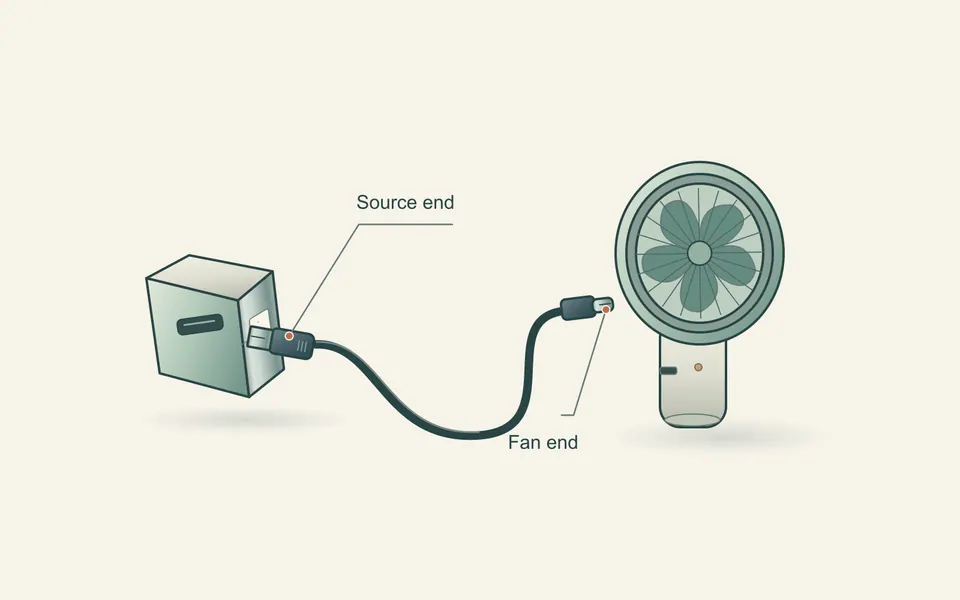
For a cable described as “USB-C,” check whether that describes one end or both. Write A-to-C or C-to-C only when you have identified the actual ends. A change at the supply end is a change to the setup, even if the fan end still fits.
Two manuals show which details matter
These are examples of reading instructions, not a product ranking. Apply each row only to the named model. We have not tested either fan or established compatibility with alternative cables.
| Exact example | Documented connection and power | Charging indication |
|---|---|---|
| MUJI MS-HFW4CN, identified on the US white-fan listing, using the matching English multi-model manual | Supplied cable; USB Type-C at the fan. For a USB-AC adapter, the manual specifies DC 5.0 V output and 2.0 A or more. Do not operate while charging. | Red during charging; green when complete. |
| Qurra Anemo Universal 3R-PHS04, Japanese manual, first edition dated June 1, 2020 | Supplied USB-A-to-Type-C cable. The specifications list the fan’s input as approximately 5.0 V / 0.8 A; this is not a general charger recommendation for other fans. | Leftmost indicator steady red during charging; that indicator turns off when complete. |
The MUJI manual’s diagrams and charging instructions appear on printed pages 15–18; its operating warning is on page 20. The US listing identifies the model and SKU 4550584472565. MUJI English manual, MUJI US model listing
Qurra permits operation while charging but advises avoiding it where possible. Do not transfer that permission to the MUJI example. Qurra 3R-PHS04 official manual
Record which light, the setup and the sequence. An unlit, unidentified fan does not automatically mean a full battery.
Compare the observation with the prescribed setup
Use the charging procedure in your manual. Check that the specified supply is powered and the connections match its diagram. Qurra instructs users to stop for smoke, an unusual smell or other abnormalities, and prohibits modification. Qurra safety instructions
Choose the next step from what you can actually establish:
- The alternative cable changes the supply-end connection. Ask whether that exact cable-and-supply combination is supported. Do not infer a universal C-to-C rule from one fan.
- The fan was running during the observation. Compare its state with the manual’s charging procedure before interpreting the indicator.
- The prescribed setup gives an unexpected indication. Record the sequence and ask the maker or seller to interpret it for that model.
- A required label or instruction is missing. Keep compatibility unknown and obtain the missing information before choosing a replacement.
Send a question that includes the whole setup
“I have [model and country of sale]. My manual is [link/version]. The supplied cable has [fan end] and [supply end]. My power source is [model and output label]. With the fan [off or other prescribed state], I observe [indicator and sequence]. I want to use [replacement cable and supply]. Is that exact combination supported, and what replacement do you specify?”
Attach the relevant photos without guessing missing ratings. A reply about another model does not resolve your record. Keep any confirmed replacement with the fan’s instructions so the same uncertainty does not return when packing.
For a different task, use the international fan power-label checklist to assess destination electricity, or the rechargeable-fan flight checklist for battery transport. Charging compatibility does not establish airline permission.
Sources checked November 9, 2026. These are documentation examples, not electrical fault diagnosis, charging-speed measurements or personal product tests.
Questions and answers
Does a USB-C plug fitting my fan prove the cable is suitable?
No. Check the entire connection against the exact fan's instructions: the cable's other end, the power source, the permitted cable and the charging procedure. Physical fit alone leaves those details unanswered.
Does a spinning fan show that its battery is charging?
Do not use spinning blades as your charge indication. Follow the charging procedure and read the specified light or display. The MUJI model discussed here must not be operated while charging.
Does a red light mean charging on every portable fan?
Use the exact model's indicator description, including whether a light is steady or flashing and where it appears. In these examples, completed charging changes the MUJI light to green but switches the Qurra's leftmost indicator off.
What if the original cable is missing?
Ask the manufacturer for a replacement specified for your exact model and market. Include a label photo and the intended power source. An unspecified cable or adapter combination remains unconfirmed.