At the Desk · process
Buying a Secondhand Fan: Match the Model Before Checking Recalls
Before buying a used desk, clip or stroller fan, get enough information to identify the actual unit. A listing called “portable USB fan” is a starting point, but it is not a model number. The useful outcome is a documented match—or a clear reason to pause—rather than a quick search that seems reassuring.
This is a U.S. recall-check workflow. For a fan bought or used elsewhere, also check that market’s official product-safety authority and the manufacturer’s regional notices. It is not an electrical inspection or a way to certify a used fan.
Build a record of the actual fan
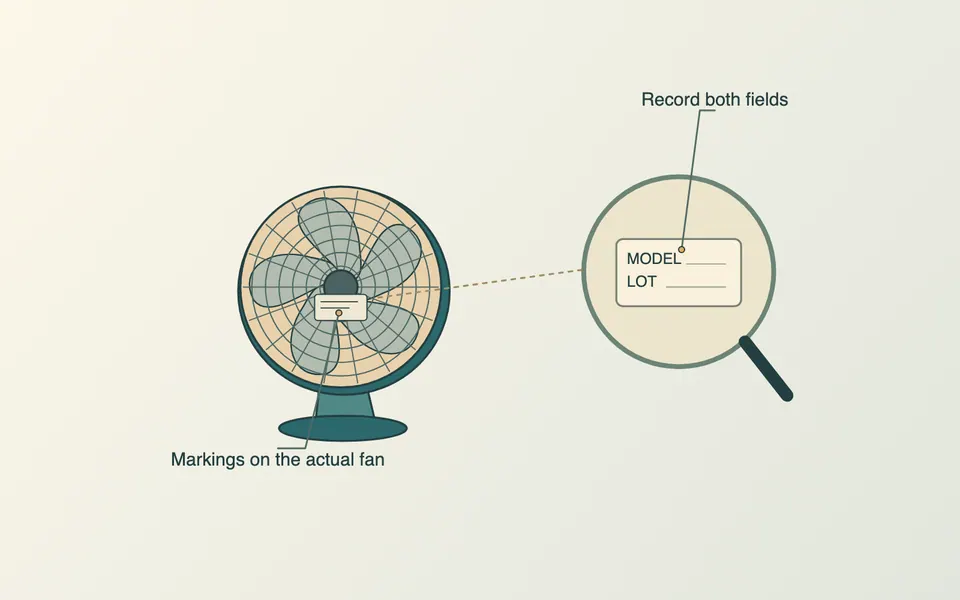
Ask the seller for original photographs, not a link to a current product listing. Keep one view of the whole unit and separate, readable photographs of its labels. Do this while the fan is off; identification does not require a powered demonstration or opening its housing.
| Record | What to ask for | What it helps you compare |
|---|---|---|
| Brand and model | Exact text, including suffixes | The model named in a notice |
| Lot, batch or date code | Every printed code and its label location | A notice limited to part of a production run |
| Market and power label | Country of purchase and the actual rating label | Whether you are looking at the same regional version |
| Supplied parts | Fan, base, guard, cable and any separate power unit | What is actually included, rather than pictured in an advertisement |
| Recall history | Any manufacturer correspondence or remedy paperwork | A claim that an earlier issue has already been addressed |
Save a transcription beside the photographs. If a character could be an O or a zero, leave that uncertainty visible. Do not quietly choose the version that produces no search results.
The CPSC’s resale guidance recommends recall checks for used products and notes that resellers are not required to safety-test used items. A secondhand shop or marketplace listing therefore should not be treated as evidence that this particular fan passed a test.
Compare identifiers, not just appearances
Search the official recall database and the manufacturer’s safety-notice page with the brand and exact model. Open the notice itself. Read its description, identifying codes, photographs, affected market and remedy together.
A concrete example is the March 2025 CPSC Nuby stroller-fan recall. It identifies model 25138, lot N8K10X, on a white label at the back center. Both fields matter. “Black tripod fan” alone is not enough to establish a match.
Nuby’s own notice describes a blade-contact hazard and instructs owners to stop using the affected fan immediately, then contact Luv n’ care about returning it for a replacement. That is the action for this example, not a general repair procedure for every recalled fan.
A different-looking photograph does not automatically clear a unit whose identifiers match. Conversely, a broadly similar shape does not prove a recall applies. If the label and description disagree, send the evidence to the manufacturer and leave the decision unresolved.
Turn the search into a decision
| Result | Next action | What you should not conclude |
|---|---|---|
| The identifiers match a recall | Follow the official stop-use and remedy instructions | That a demonstration or adult-only use overrides the notice |
| The model matches, but the required lot code is unreadable | Ask the manufacturer to resolve applicability | That an unreadable code means an unaffected lot |
| No matching notice was found | Save the query, sources and check date; assess condition separately | That the fan is certified safe |
| The seller says it was repaired | Compare the documentation with the official remedy | That any replaced part resolves the original recall |
| The model cannot be established | Pause the purchase or use decision | That the closest current product page is the same unit |
A completed recall check still leaves other questions: missing guards, a damaged cord, an undocumented replacement power unit or modifications. This checklist cannot clear those conditions. Ask the manufacturer what assessment is appropriate; do not turn the purchase inspection into a repair experiment.
Keep a handover note
A short seller message can be specific without asking for personal information:
Please send clear photographs of this fan’s model and lot/date labels, plus the included power supply. Has this unit been subject to a recall or manufacturer remedy? If so, please provide the relevant remedy details with personal information removed.
Keep the response, official notice URL and date checked with your model record. Revisit official notices if new information arrives. Do not rely on receiving an email intended for the original purchaser.
The decision can remain “not enough information.” That is more useful than converting a missing label, an incomplete search or a seller’s assurance into a yes.
Questions and answers
Is a secondhand fan safe if no recall appears in my search?
No matching recall is a limited search result, not a safety certificate. Confirm the exact model, regional version and any lot restrictions, and keep unresolved condition or repair questions separate.
What if the seller cannot photograph the model label?
Treat the fan's identity as unresolved. Ask for a clear label photograph or manufacturer confirmation before committing; a similar-looking product photo cannot establish the model or production lot.
Can I keep using a recalled stroller fan away from children?
Follow the specific notice's instructions. The Nuby example discussed here tells consumers to stop using the affected fan immediately; it does not offer an adult-only exception.
Does a seller's claim that the recall was fixed settle the question?
Ask what official remedy was completed and for documentation identifying the unit. If the notice or paperwork does not resolve the match, ask the manufacturer before treating the recall as addressed.