The 3 a.m. · process
Sound Machine Headphone Output: Check the Audio Direction First
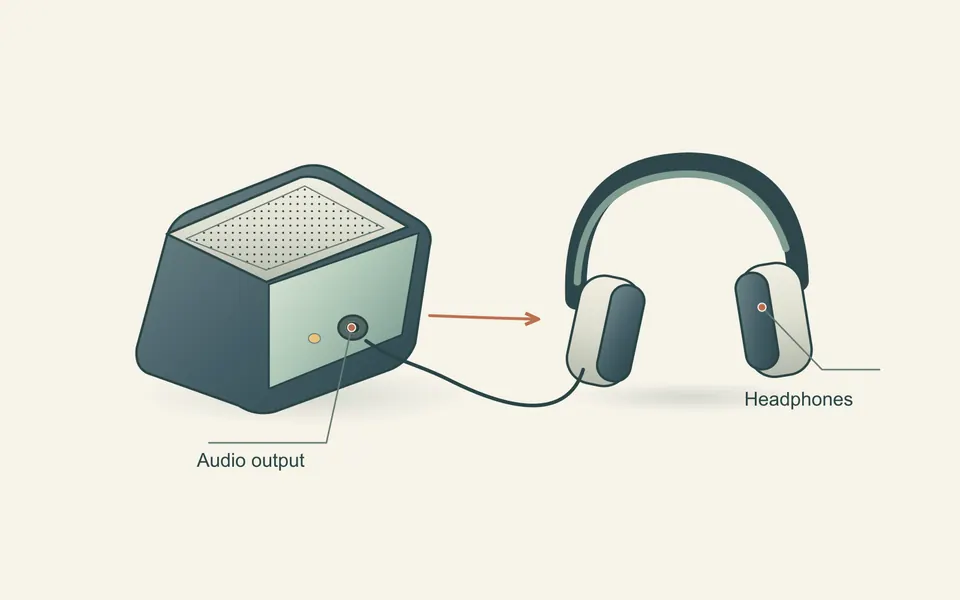
Look for a documented path from the machine’s built-in sound to your headphones. A headphone-output statement can establish that path; a Bluetooth logo, an audio socket without a direction, or a USB power connection cannot establish it by itself.
The practical question came from a reader wanting a dedicated pink-noise machine with headphone compatibility for a shared room. Their preference identifies the task, not a reason to claim a health benefit or a particular amount of demand. A comment suggested a product; the manufacturer documents below supply the product facts. Original reader question
Start with the sound you want the machine to send
Write down the complete model name, hardware version if known, and purchase market. Find the matching manufacturer’s manual rather than borrowing the connection diagram from another device in the same range. Keep the manual link and document identifier with your notes.
Then define the source: the machine’s own pink-noise setting, another built-in sound, or audio played on a phone. These are different routes. If the purpose is to avoid using a phone as the player, a procedure that starts with selecting music on a phone does not answer the requirement.
Also identify the headphones you already have. Record their model and documented listening connection. Do not turn a charging connector into an audio connector, or assume that an adapter makes two unspecified devices compatible. If the headphone documentation is missing, leave that side of the proposed connection unresolved.
Draw a direction before comparing features
Use a simple note such as built-in sound → documented output → headphones. A second note, phone audio → machine speaker, describes a different function even when both product pages use the word Bluetooth.
| Field | What to record |
|---|---|
| Machine | Complete model, version and matching manual |
| Source | The built-in sound or external player you intend to use |
| Direction | What sends audio and what receives it |
| Connection | The stated output and the headphones’ supported input |
| Speaker behavior | The exact documented condition for speaker shutoff, or unknown |
| Power | What the machine needs while playing; no guessed runtime |
| Evidence | Document section and the question still unanswered |
An input accepts a signal into the machine; an output sends a signal onward. When a listing simply says “audio jack,” find the section that names its purpose. Keep connector shape and signal direction in separate fields so a familiar-looking socket does not become your whole compatibility decision.
A documented wired example: LectroFan EVO
The manufacturer’s EVO page identifies model ASM1020-WW, and its support page currently links the EVO owner’s manual used here. These are EVO sources, not instructions for LectroFan Classic or another variant. EVO identity · Official EVO support and manual link
The linked manual identifies a 3.5 mm analog output for headphones and external speakers. Its built-in noise list includes Pink at number 7. It also explicitly separates the USB power cable from audio: USB audio is unsupported. EVO manual, printed pages 2–7
The speaker-shutoff sentence names connecting an external speaker. This checklist does not broaden that wording into a tested guarantee for every headphone connection. If preventing sound from the machine’s speaker is essential, ask the manufacturer about the exact headphone arrangement before depending on it. We have not tested the unit or connection.
A Bluetooth example with a different documented direction
The LectroFan Micro2 guide tells the reader to select LectroFan MICRO 2 from the Bluetooth device; its instructions refer to a connected phone. It also shows separate Bluetooth, Off and Sleep Sounds switch positions. The manufacturer’s Micro2 support page links this guide separately from its Micro2+ stereo-pairing instructions. Micro2 support · Micro2 user guide
That documented pairing route is not evidence that Micro2 transmits its built-in sounds to wireless headphones. Leave that proposed route unconfirmed by these instructions. Do not convert missing documentation into a claim about an undisclosed capability, and do not import features from Micro2+ merely because the support site also mentions it.
Resolve the exact missing step
Before choosing, check whether your record answers four questions: which sound is generated, which output carries it, which headphone connection receives it, and what happens to the machine’s own speaker. Keep power requirements alongside those answers. A successful connection description does not supply an endurance measurement or tell you how long your headphones operate.
If one answer is missing, a useful support request is: “For [exact machine and version], can its built-in [sound] play through [exact headphone model and connection]? Which output and instructions apply? Does that connection silence the built-in speaker, and what power arrangement is required?” Include the manual passage that left the question open.
Choose from documented arrangements once those details are settled. If the desired connection requires an unspecified transmitter, cable or adapter, leave that proposed setup unconfirmed instead of treating a matching plug as approval. This guide supplies no wiring changes or modifications.
For another device task, the electronic sleep-mask cleaning checklist separates washable fabric from electronics. For trial terms before opening an accessory, use the return-policy checklist. Neither establishes this audio connection.
Sources checked November 15, 2026. The currently linked EVO and Micro2 documents are older manufacturer publications; their availability today does not identify every hardware revision now offered for sale. Match your unit before using them. This is a documentation check, with no claim about sleep outcomes, hearing protection or the suitability of wearing headphones overnight.
Questions and answers
Does a sound machine with Bluetooth work with Bluetooth headphones?
Bluetooth alone does not establish that route. Instructions for playing phone audio through the machine describe an input path. Look for separate documentation that the machine transmits its built-in sounds to headphones.
Does the LectroFan EVO have a headphone output?
Yes. The EVO manual linked by the manufacturer describes a 3.5 mm analog output for headphones and external speakers. Match the EVO identity and your headphones' documented connection; this does not establish wireless-headphone compatibility.
Can I use the EVO USB cable for audio?
The cited EVO manual explicitly says its USB cable supplies power and does not support USB audio. A USB connection to a computer does not change that documented function.
Will connecting headphones always mute a sound machine's speaker?
Do not assume that for every machine. The EVO passage reviewed here names an external speaker when describing automatic speaker shutoff. Ask about your exact headphone connection if that behavior is essential.