The 3 a.m. · process
Air Purifier Lights at Night: Check Display Off Separately from Sleep Mode
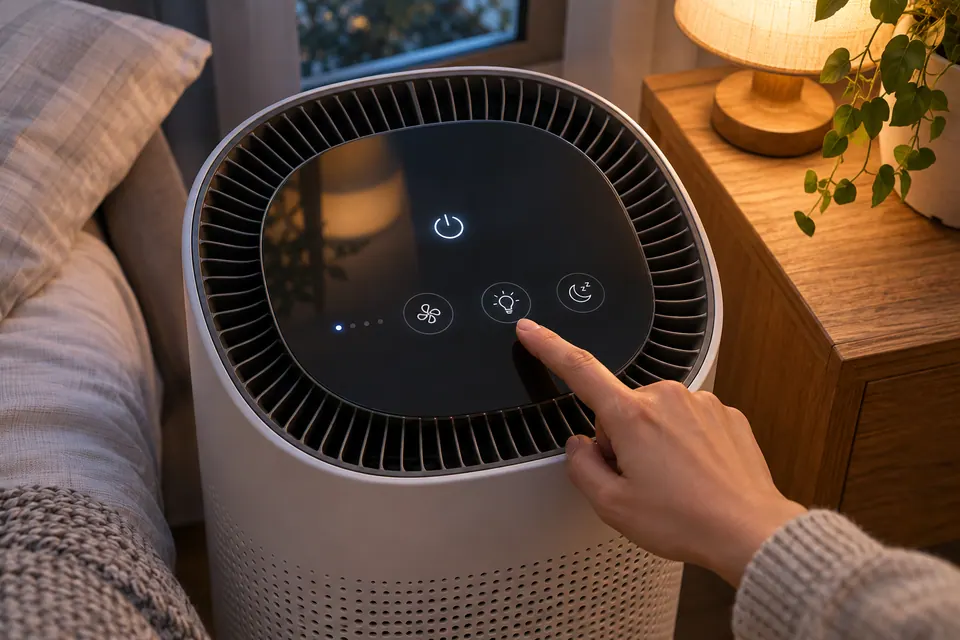
To check an air purifier for a dark bedroom, treat fan operation and visible lighting as two separate settings. A Sleep or Quiet button may change both. If you want a particular fan setting, find out whether the display can be controlled independently, which indicators remain visible and what makes them light up again.
This guide is a controls checklist. It does not select a purifier for room size, rate filtration or claim a sleep benefit. The named examples come from manufacturer documents checked on November 5, 2026; Coolkeel has not tested their displays or sound in a bedroom.
Write down the behavior you need
Replace a broad request such as “good for sleeping” with a short statement:
“I want to run this exact unit at my chosen setting, with no unwanted visible light from the bed. I need to know what happens when I touch a control.”
Then record the conditions that matter to you. Do you need a timer? Will you change the setting during the night? Can you see the top panel directly from the pillow, or only its reflection? A control that meets one person’s arrangement may leave an unanswered question in another room.
Do not use a dark display as evidence that the fan has stopped, or a quiet sound as proof of a particular fan setting. Use the documented controls and indicators to establish the operating state.
Example 1: Core 300-P separates two controls
The Levoit Core 300-P US manual linked from Levoit’s current manual directory distinguishes Sleep Mode from Display Off. Its controls page says Display Off turns the display off; touching a button other than On/Off turns it back on. Its operation page describes Sleep Mode as the lowest fan speed with indicators at half brightness. Display Lock is another function; the manual says the display can still be turned on or off when locked. Levoit US manual directory, Core 300-P US manual, pages 6, 8 and 9
That distinction gives you a better question than “does it have sleep mode?” Ask whether the separate display operation meets your preferred fan setting and whether any light remains visible on the particular unit.
Keep the model suffix and market with the note. Do not transfer these instructions to Core 300S-P, a different Levoit series or another regional manual because the product name looks similar.
Example 2: a broad FAQ needs a scope check
Bosch’s US Air 2000 manual, version 6721880038 dated December 2024, says Quiet mode runs at low speed and dims all lights. Separately, Bosch’s US Well-being FAQ describes holding the Sleep icon for three seconds to turn off a status light while retaining fan-speed functionality. Those descriptions do not, by themselves, establish that every indicator on every Air Series revision goes completely dark. Air 2000 manual, section 4.3, Bosch Well-being FAQ, light-ring question
If that difference decides your purchase, send Bosch the model label and both references. Ask whether the action applies to your revision, which light it controls and whether other indicators remain illuminated. Until answered, write all-lights-off behavior unknown. This is a useful stopping point, not a reason to choose the interpretation you prefer.
Check one setting at a time
With a unit you own or a permitted demonstration, use this sequence after following its complete setup instructions:
- Identify the unit. Match the model label, market and applicable manual. Note any software or app version if it changes the controls.
- Choose the operating setting. Record the fan mode and any timer before touching the light control.
- Use the documented light control. Record whether it changes a display, a ring, selected indicators or the operating mode.
- Look from the intended position. Check direct light and reflections, with the room arranged as you would actually use it.
- Test a normal interaction. Use a documented control you expect to need, then record whether lights return and whether the setting changes.
Do not create a filter fault or other abnormal condition just to test an indicator. If warning-light behavior matters, ask the manufacturer. Do not cover the appliance, block a sensor or obstruct an opening to hide a light.
For physical placement and reachable controls, keep a separate room plan. Our bedroom fan checklist offers a way to think through placement, but its advice about a room fan does not replace the purifier’s own clearance instructions.
Keep a compact result card
Use separate rows so one successful check does not hide another unknown.
| Check | Record |
|---|---|
| Required fan setting | Exact mode or speed |
| Lighting action | Exact button or documented app control |
| Visible result | Display, ring and other indicators separately |
| After interaction | Which lights return and which settings change |
| Unresolved behavior | Exact question for the manufacturer |
For example, “the ring is off” is narrower and more useful than “the purifier is dark.” Likewise, a note that the display was acceptable from a chair does not settle whether it reflects toward the bed.
If you have not used the unit, keep observed results blank. A screenshot of a product in a dark room is not a completed control test. Before buying for a trial, check the exact seller’s applicable return conditions rather than assuming used appliances can be returned.
Choose the next action from the missing information
If the manual separates the controls and the permitted trial meets your needs, retain the resulting settings note. If it only documents a combined low-speed, dim-light mode, decide whether that combination is acceptable to you. If the wording is unclear, request the missing model-specific answer.
A light-control check also cannot settle a different room problem. For example, choosing whether moisture removal is needed is a separate task covered by our dehumidifier decision guide. Keeping those decisions separate prevents a convenient button from becoming an unsupported promise about the whole bedroom.
Questions and answers
Does Sleep Mode mean an air purifier's lights are completely off?
Not necessarily. The checked Levoit Core 300-P US manual says Sleep Mode uses its lowest fan speed and half-bright indicators. Its Display Off control is separate. Read the manual for the exact model instead of assuming all sleep modes behave alike.
Can I keep my selected fan speed while turning the display off?
Look for a separate display control in the applicable manual. A mode that changes both lighting and fan speed does not establish independent control. Check the resulting settings and any remaining lights on the actual unit.
What if a manufacturer's FAQ and model manual describe the lights differently?
Save both descriptions and ask the manufacturer which applies to your exact model and revision. Keep dimmed, status light off and every light off as separate claims until the scope is clear.