The 3 a.m. · process
Two Bedroom Hygrometers Disagree? Check the Reading First
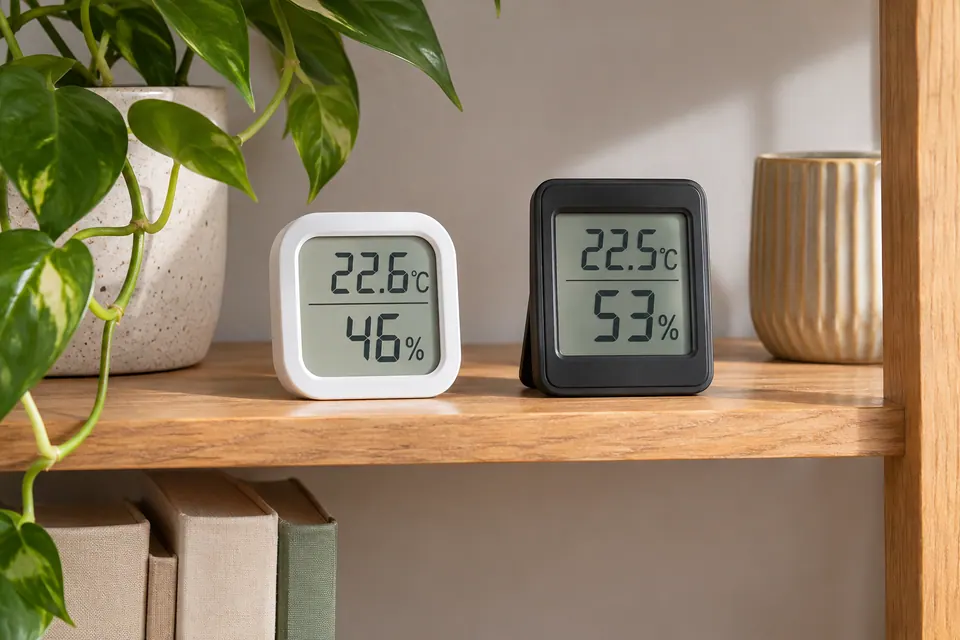
When two bedroom hygrometers disagree, first check what each number represents, where it was measured and when it was read. Do not automatically choose the newer meter, average the numbers, or change an offset until the readings agree. Those actions do not establish which value is reliable enough for your decision.
The outcome of this checklist is a short comparison record and a clear next step: correct a display mix-up, repeat a better-matched comparison, or ask the manufacturer about an unresolved discrepancy. Coolkeel has not tested the two model examples below. Their documents were checked on November 5, 2026; neither is a recommendation or a reference instrument.
1. Identify the number before comparing it
Write down both exact model numbers and photograph each display with its labels visible. Check whether you are reading current humidity, a stored maximum or minimum, or a remote sensor channel. Copy the temperature too, using the same temperature unit in your notes.
For example, the AcuRite 00613 shares an instruction manual with models 00215 and 00477. Its display diagram separates current humidity from low and high records. Those records cover a rolling period of 24–36 hours, so a high value is not a second reading of the room at the present moment. This is a concrete reason to check the display legend before treating two numbers as a disagreement. AcuRite monitor manual, pages 1–2
If a model number or display label remains unclear, stop there. Ask the maker to identify the field rather than guessing from its position on the screen.
2. Separate a meter comparison from a room survey
A reading by a window and one on a dresser answer different location questions. Bresser explains that relative humidity depends on temperature and distinguishes representative room measurements from measurements at a particular problem spot. Its guidance favours accessible positions with air circulation for the former, away from a direct heat, cold or moisture influence. Bresser placement guidance
For this comparison, choose one location permitted by both manuals and place the meters alongside each other with their sensor openings unobstructed. Record the original locations before moving them. Keep this arrangement separate from a later survey of different parts of the bedroom.
The AcuRite manual specifically calls for a dry, clean location away from direct sun, heat sources, vents and humidity sources. A nearby humidifier outlet would therefore be a poor comparison position for this model. AcuRite placement instructions
3. Record timing without inventing a settling period
Bresser notes that a sensor needs time to adapt after moving and that airing a room, cooking or showering can temporarily change conditions. It does not provide a universal wait time for every meter. Bresser measurement cautions
Follow a documented adaptation period for your exact model. If you cannot find one, write manufacturer settling time: unknown, and request it. Record the time of the move, the time of each paired reading and any intervening window or appliance change. Repeated observations are a record of what happened; they do not certify accuracy.
This distinction matters with fast displays. Govee’s current US H5075 listing advertises a two-second response and ±3% RH humidity accuracy. The checked page does not establish a two-second settling period after moving the device, nor did it specify the environmental conditions for that accuracy claim in the visible text. Keep those fields unresolved. Govee H5075 US listing
4. Read accuracy together with the usable range
The AcuRite 00613 manual lists 0–50°C and 16–98% RH as its temperature and humidity ranges. These are model limits, not bedroom targets. AcuRite specifications
Its US product page gives banded humidity accuracy: ±3 percentage points of RH from 20–80% RH, with larger stated tolerances in the surrounding bands. Do not apply the ±3 figure everywhere. The page even lists accuracy bands beyond the manual’s humidity range; that does not extend the stated 16–98% RH range. AcuRite 00613 product specifications
Use the specifications to frame a question to support, not to declare one of two unverified meters correct. This checklist does not turn their advertised tolerances into a pass/fail calculation. Record missing test conditions rather than supplying your own.
5. Keep a small comparison card
| Record | Meter A | Meter B |
|---|---|---|
| Exact model | Fill in | Fill in |
| Current RH and temperature | Fill in | Fill in |
| Reading time and location | Fill in | Fill in |
| Range and accuracy source | Link or unknown | Link or unknown |
| Existing offset | Value or unknown | Value or unknown |
Add one shared note for recent moves, open windows and appliance operation. Preserve the original readings if a manufacturer later instructs you to change settings.
We found no user offset procedure or numeric settling period in the checked AcuRite manual. That absence is not proof that every related model lacks adjustment. No H5075 adjustment procedure is specified here because its current US product page did not establish one. An adjustment menu, where supported, also needs a justified reference; matching an unverified neighbour is not that reference.
6. Choose the next action
If one value was a stored high or low, repeat the comparison using current values. If the locations or times differed, improve that record first. If a disagreement persists, send the manufacturer your model, paired readings, temperatures, timing, placement and existing offsets. Ask which reference procedure it approves, what adaptation time applies, and whether inspection is needed.
Once you have usable measurements, return to the dehumidifier decision guide to distinguish moisture removal from room cooling. If your next task is arranging airflow around the bed, use the separate bedroom fan checklist. Neither appliance decision requires inventing a humidity value from conflicting displays.
Questions and answers
If two hygrometers agree, are they calibrated?
Agreement is useful comparison evidence, but neither meter becomes a verified reference just because their numbers match. Keep the model specifications and the conditions of the comparison with your record.
Can I average two different humidity readings?
You can calculate a midpoint, but it does not establish the room's true humidity or identify a faulty meter. Check current versus stored values, placement, timing and model limits before choosing which reading to act on.
Does a two-second reading update mean the sensor settles in two seconds?
No settling time can be inferred from that update claim alone. Ask the maker how long your exact model should adapt after a location change and what conditions its accuracy statement covers.